
Understanding Campaigns
Campaigns are the central organizing concept in Nukipa. Every piece of content - blog posts, landing pages, social media posts - lives inside a campaign.
What Is a Campaign?
A campaign is a container for related marketing content. Think of it as a project or initiative:
- "Q1 Lead Generation" - Blog posts about your services, landing pages targeting key audiences
- "Product Launch: New Feature" - Content promoting a specific release
- "Ongoing SEO Blog" - An always-on campaign for regular blog publishing
Each campaign has a name, a start date, an end date, and a theme (a short description of what the campaign is about).
Creating a Campaign
- Navigate to Campaigns from the sidebar.
- Click Create Campaign.
- Enter a campaign name and optional description.
- Set start and end dates for the campaign period.
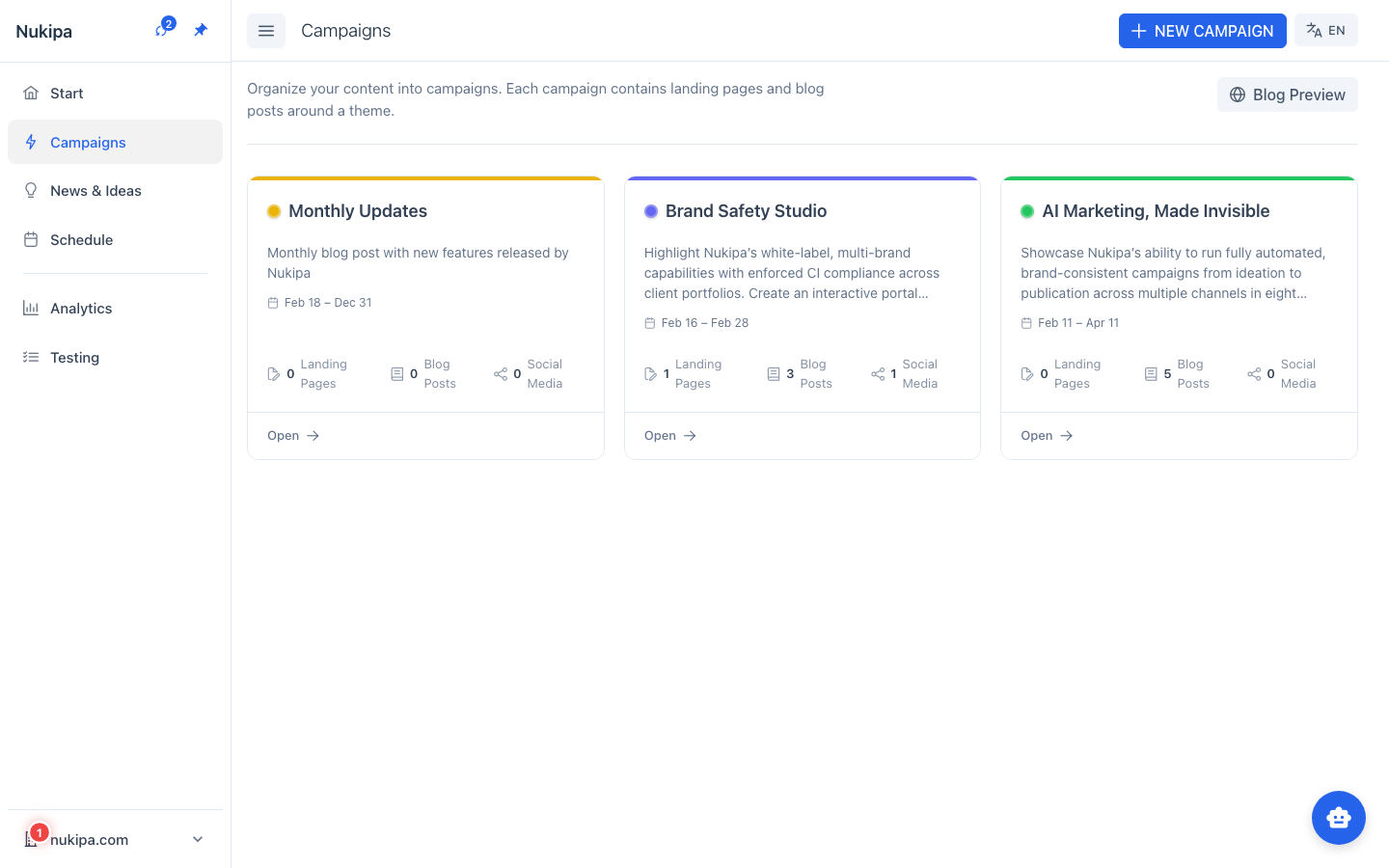
AI-Powered Campaign Ideas: You can also ask the AI to suggest campaign ideas based on your company profile. Click "Generate Ideas" and Nukipa will propose campaign themes, complete with suggested blog post and landing page topics.
Inside a Campaign
Once you open a campaign, you'll find:
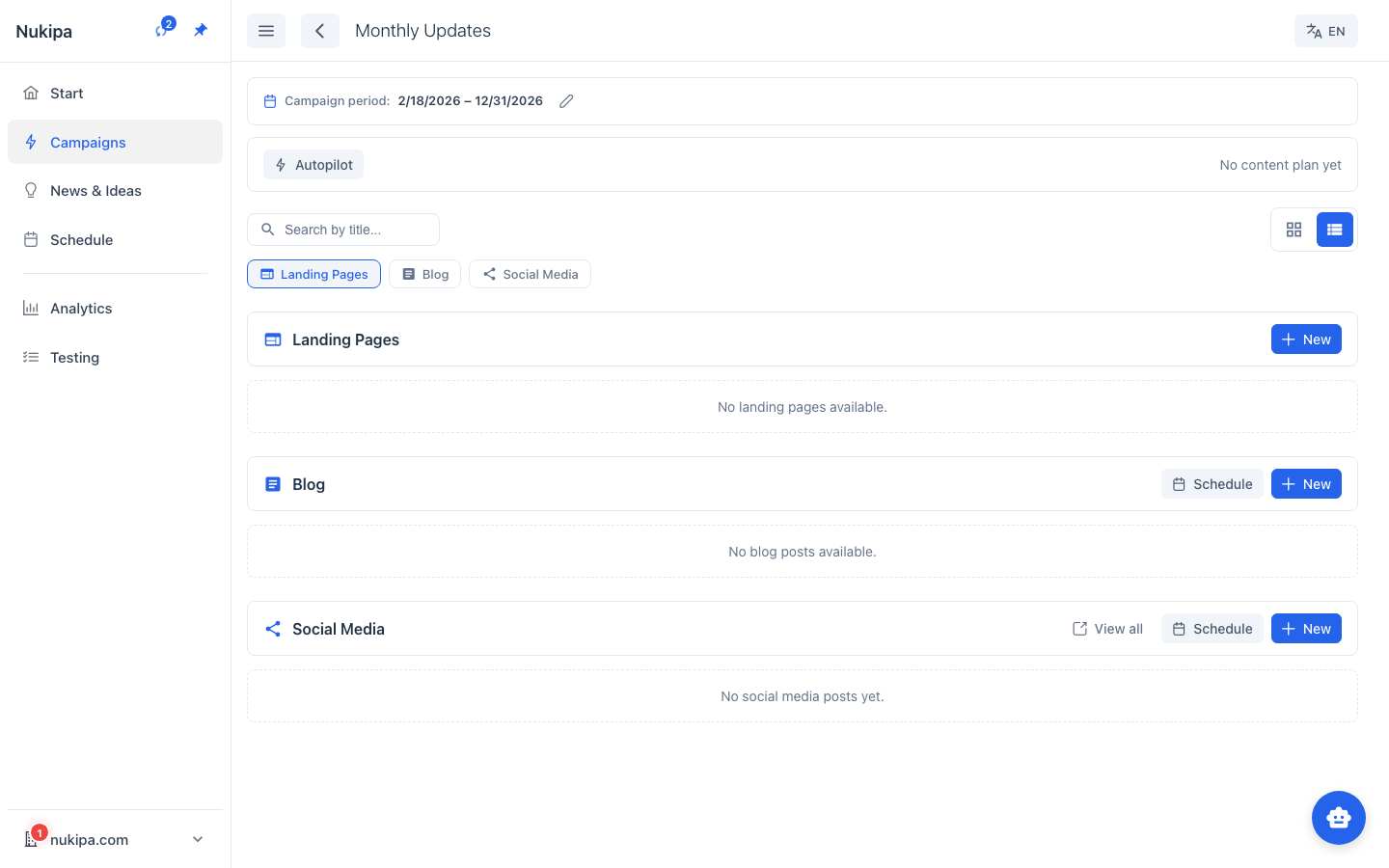
- Blog Posts - All blog articles belonging to this campaign. You can create new posts, view their status, and manage publishing.
- Landing Pages - Marketing landing pages associated with the campaign.
- Social Media - Social media content generated from your blog posts or briefings.
- Content Plan - If Autopilot is enabled, you'll see automatically generated content plans here.
- Schedule - A calendar view showing when content is scheduled to publish.
Campaign Status
Campaigns can be:
- Active - Currently running, content can be created and published.
- Archived - Past campaigns kept for reference. You can still view the content but typically won't add new items.
Best Practices
- One campaign per marketing initiative. This keeps your content organized and makes it easy to measure the impact of each effort.
- Use meaningful names. "Blog Q1 2026" is better than "Campaign 1."
- Set realistic date ranges. The start and end dates help Autopilot schedule content appropriately.
- Don't worry about getting it perfect upfront. You can always edit campaign details, move content between campaigns, or archive a campaign when it's complete.