
Setting Up Autopilot Content Planning
Consistently creating and publishing marketing content is one of the biggest challenges for small teams. Nukipa's Autopilot feature takes this off your plate by automatically generating content plans, creating blog posts, and scheduling them for publishing.
What Autopilot Does
When enabled on a campaign, Autopilot:
- Generates content plans on a schedule you define (e.g., weekly).
- Proposes blog post topics based on your company profile, industry news, and campaign goals.
- Creates the content automatically once you approve the plan.
- Schedules publishing so posts go live at the right time.
- Generates social media posts to promote each blog article.
You stay in control - review and approve plans before content gets created, or enable auto-approval for a fully hands-off experience.
Enabling Autopilot
- Open a Campaign.
- Navigate to the Autopilot settings (gear icon or Autopilot tab).
- Toggle Autopilot on.
- Configure your preferences:
- Frequency - How often new content plans are generated (daily, weekly, or custom).
- Auto-approve - If enabled, plans are approved automatically without your review. If disabled, you'll receive an email notification to review each plan.
- Landing pages - Select landing pages to include in social media post briefings so the AI can link to them.
The Content Plan Workflow
Plan Generation
At the scheduled interval, Autopilot creates a new content plan containing:
- Blog post ideas with titles and descriptions
- Suggested publishing dates
- Social media post ideas to promote each article
Review and Approval
If auto-approve is off:
- You receive an email notification that a new plan is ready for review.
- Open the content plan in your campaign.
- Review each item - you can approve, reject, or edit individual items.
- Approve the entire plan when you're satisfied.
- If you don't review within 24 hours, you'll receive a reminder email.
If auto-approve is on:
- Plans are approved immediately upon generation.
- Content creation begins automatically.
Content Creation
Once a plan is approved:
- Blog posts are generated from the approved ideas.
- Social media posts are created for distribution.
- Everything is scheduled according to the plan.
Full Campaign Planning
You can also generate a plan that spans the entire remaining campaign duration by using the "Full Campaign" option. This creates a comprehensive content calendar from today through the campaign end date.
Monitoring Your Pipeline
Schedule View
The Schedule page shows a unified calendar of all scheduled content across your campaigns. You can see at a glance what's publishing and when.
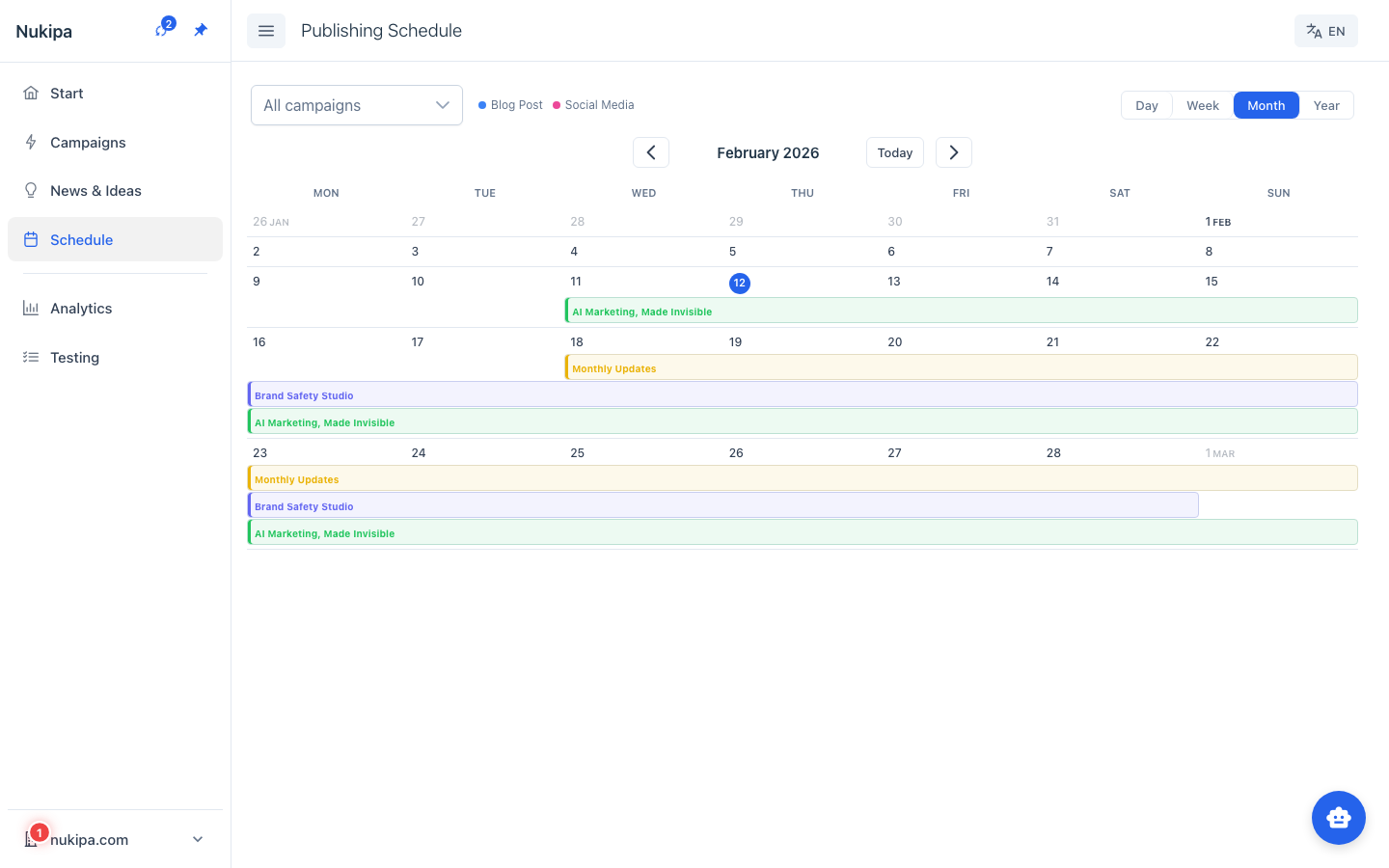
Campaign Schedule
Inside each campaign, the Schedule tab shows the content timeline for that specific campaign.
Jobs
The Jobs page shows the status of all background tasks - content generation, image creation, translations, etc. If something gets stuck, you can see it here.
Email Notifications
Autopilot sends email notifications for:
- New plan ready for review - When a content plan is generated and waiting for your approval.
- Reminder - If a plan hasn't been reviewed after 24 hours.
Configure email preferences in your account settings.
Tips for Autopilot Success
- Start with manual approval. Get a feel for the quality and type of content Autopilot proposes before enabling auto-approve.
- Refine your company profile. The better your profile describes your business, the more relevant the content plans will be.
- Use industry news. Autopilot incorporates trending news into content plans - make sure the News section is configured with relevant sources.
- Review and provide feedback. Use the thumbs up/down buttons on generated content. This trains the AI to better match your preferences over time.
- Set realistic frequencies. For most small businesses, one to two blog posts per week is a sustainable cadence.