
Generating Landing Pages That Convert
Landing pages turn visitors into leads and customers. But designing and coding effective landing pages normally requires a web designer, a copywriter, and a developer. With Nukipa, you can generate a complete, ready-to-publish landing page in minutes.
Understanding Landing Page Types
Nukipa offers four types of landing pages, each designed for a different marketing strategy:
Persona Pages
Target a specific audience segment. If your ideal customer is a "Marketing Manager at a mid-size tech company," a persona page speaks directly to their challenges, goals, and language.
Best for: Targeted advertising campaigns, segment-specific offers.
Problem Pages
Focus on a specific pain point your product or service solves. The page leads with the problem, builds empathy, and presents your solution.
Best for: Search engine traffic from people actively looking for solutions.
Localization Pages
Tailored for a specific geographic area. Ideal for businesses that serve local markets - the page emphasizes local relevance, testimonials, and region-specific benefits.
Best for: Local SEO, regional campaigns, businesses with physical locations.
Event Pages
Promote a specific event - webinar, conference, workshop, product launch. Includes event details, speaker information, and a clear registration call-to-action.
Best for: Event promotion, webinar sign-ups, product launches.
Creating a Landing Page
- Open a Campaign and navigate to the landing pages section.
- Click New Landing Page.
- Choose a landing page type (persona, problem, localization, or event).
- Fill in the details:
- Title - The name of the page (used internally and as the page heading).
- Idea/Description - Describe what the page should focus on. Be specific about the audience, problem, or event.
- Goal - Choose between "Click" (drive users to another page/action) or "Contact Form" (capture leads directly on the page).
- Click Generate and wait for the AI to build your page.
What You Get
The AI generates a complete landing page including:
- Professional HTML/CSS design - Styled with your brand colors and fonts.
- Compelling copy - Headlines, value propositions, feature descriptions, and calls-to-action.
- Responsive layout - Looks great on desktop, tablet, and mobile.
- Contact form (if selected) - A built-in form that captures submissions directly into your Nukipa Messages inbox.
Editing Your Landing Page
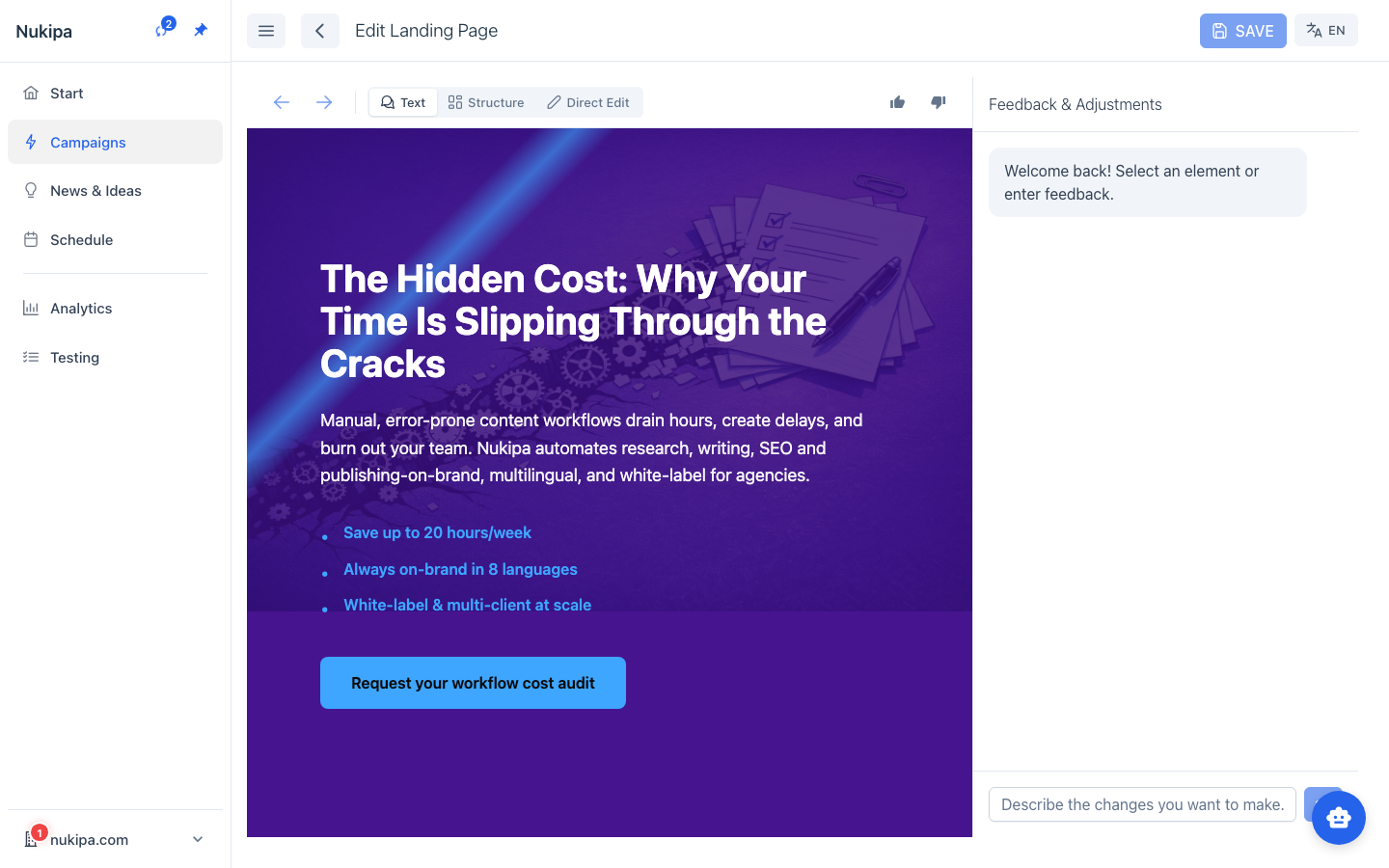
Visual Editor
Nukipa includes a landing page editor where you can modify the generated page:
- Edit text directly on the page
- Update the HTML and CSS
- Preview changes in real time
AI Optimizations
After a page is generated, the AI may suggest optimizations - improvements to headlines, copy, layout, or calls-to-action. You'll see an "Apply Optimizations" button when suggestions are available. You can apply them with one click or dismiss them if you're satisfied with the current version.
Image Generation
Generate custom images for your landing page using the Regenerate Image feature. The AI creates visuals that match your page content and brand style.
Publishing Your Landing Page
- Click Publish on the landing page detail view.
- The page immediately goes live at a public URL.
- With a custom domain configured, your landing page URL will be on your own domain.
You can also use batch actions to publish or unpublish multiple landing pages at once.
Capturing Leads
If your landing page includes a contact form, submissions are automatically captured in your Messages inbox. Each submission includes:
- All form fields the visitor filled in
- The landing page and campaign it came from
- A timestamp
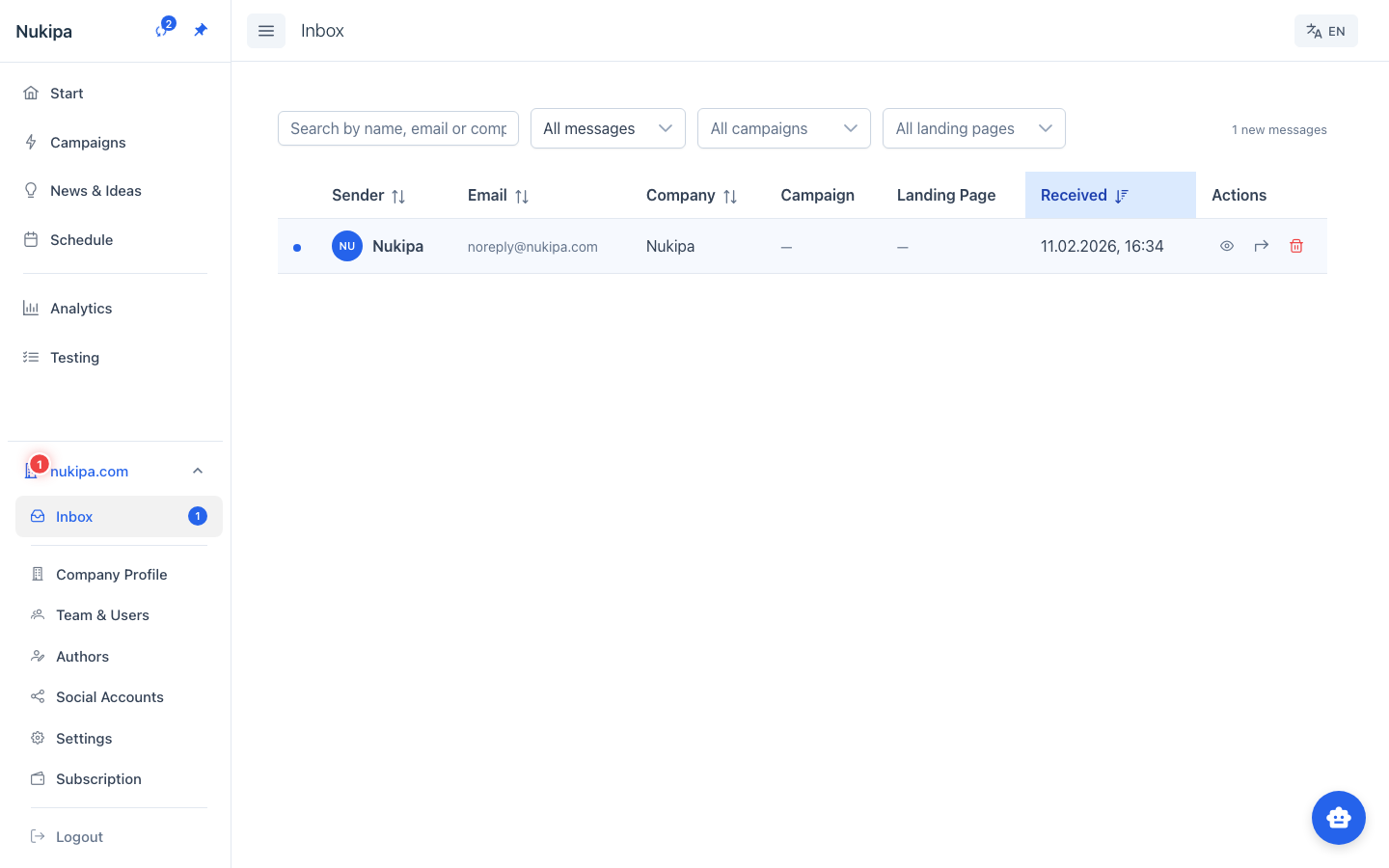
You can mark messages as read and track which landing pages generate the most leads.
Translation
Need to reach audiences in other languages? Use the Translate feature on any landing page to generate a translated version. The AI preserves the design and structure while translating all text content.
Tips for High-Converting Pages
- One goal per page. Don't try to do too many things. A landing page should have exactly one call-to-action.
- Be specific about your target. "Landing page for CFOs worried about cash flow" produces better results than "finance landing page."
- Use the Problem type for search traffic. People searching for solutions are high-intent visitors - meet them with a problem-focused page.
- Review the contact form. Make sure the form fields match what you actually need from leads.
- Test different approaches. Create multiple landing pages for the same offering with different angles, then compare which one captures more leads.