
Creating Social Media Content
Consistent social media presence is essential, but coming up with fresh posts every day is exhausting. Nukipa generates platform-optimized social media content from your existing blog posts, industry news, or custom briefings.
Three Ways to Create Social Media Content
From a Blog Post
The easiest approach - turn an existing blog article into social media posts:
- Open a published or ready blog post.
- Click Generate Social Media (the social media icon).
- The AI generates a LinkedIn post tailored to your audience, including hashtags and appropriate formatting.
Why this works: Your blog post already contains valuable content. The AI extracts the key insights and repackages them for LinkedIn.
From a News Item
Leverage trending industry news for timely social content:
- Go to the News section.
- Find a relevant article.
- Click the social media generation option on the news item.
- The AI creates a LinkedIn post that comments on the news from your company's perspective.
Why this works: Sharing informed commentary on industry news positions you as a thought leader.
From a Briefing
Create posts from scratch with a custom brief:
- Go to the Social Media section.
- Click Create from Briefing.
- Describe what you want the post to be about.
- The AI generates the content for LinkedIn.
Why this works: Maximum flexibility for campaigns, announcements, or topics not covered by your blog or news feed.
Editing Social Media Posts
Once generated, you can:
- Edit the text - Modify the post content directly.
- Update hashtags - Add, remove, or change hashtags.
- Regenerate images - Generate custom visual assets for the post with an AI image prompt.
- Generate video - Create short video content to accompany your post.
Scheduling Posts
Instead of publishing immediately, schedule posts for optimal timing:
- Open a social media post.
- Click Schedule.
- Set the date and time for publishing.
- The post will automatically go live at the scheduled time.
You can also batch schedule multiple posts at once - useful for planning a week or month of content in advance.
Connecting Your LinkedIn Account
To publish directly to LinkedIn:
- Go to Social Accounts in the sidebar.
- Click Connect Account.
- Connect your LinkedIn account via OAuth.
Once connected, your scheduled social media posts can be published directly to LinkedIn.
Social Media in the Schedule View
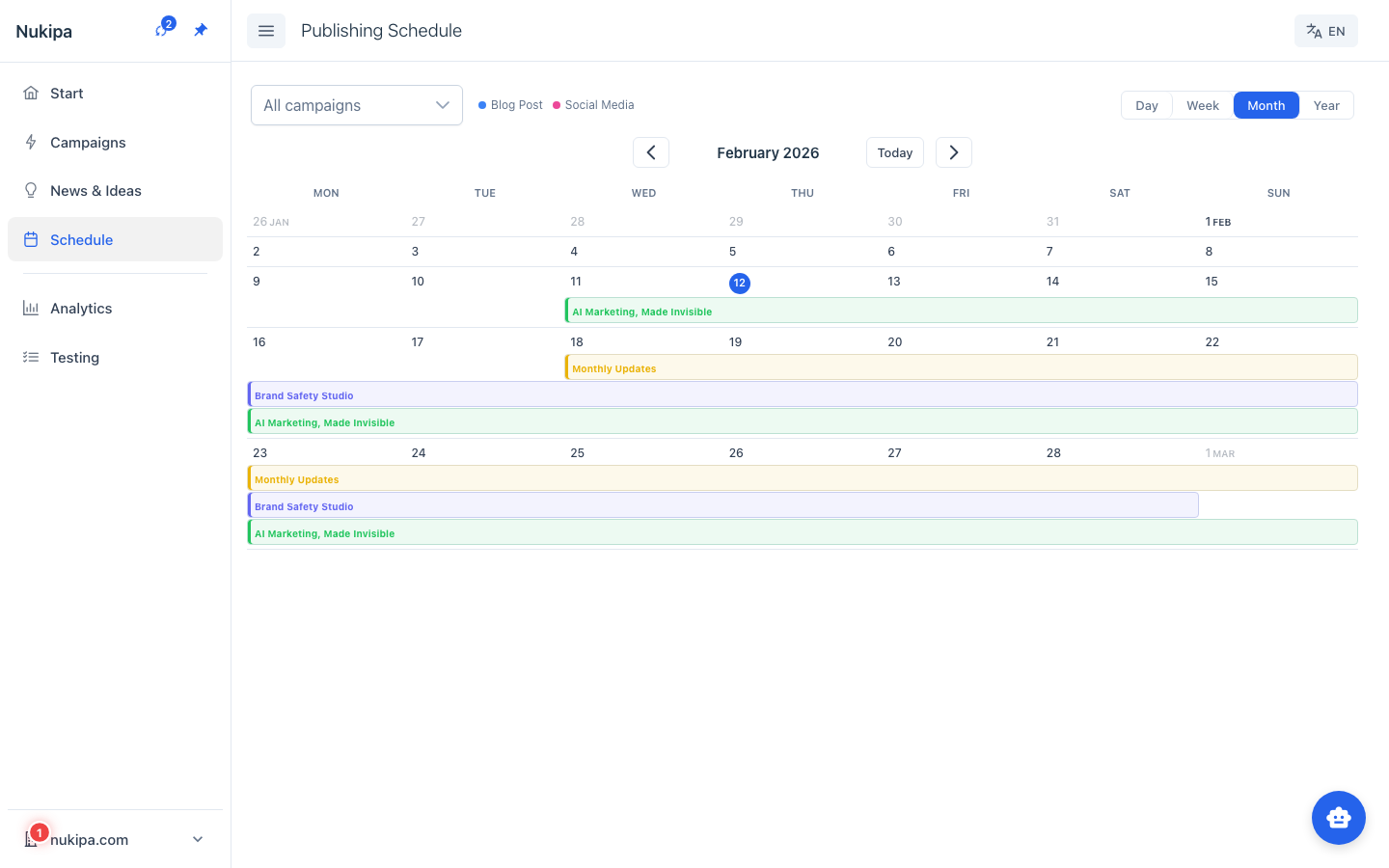
The Schedule page shows all your scheduled social media posts alongside blog posts in a unified calendar. This gives you a complete picture of your content pipeline.
Tips for Social Media Success
- Repurpose every blog post. Every article you publish can become 3-5 social media posts targeting different angles.
- Time your posts strategically. Schedule posts when your audience is most active.
- Use the news feed for timely content. Reacting to industry news quickly keeps your social presence relevant.
- Mix content types. Alternate between blog promotions, industry commentary, and original thoughts.