
SEO Keyword Research and Optimization
If your target customers are searching for what you offer, your content needs to show up. Nukipa's keyword tools help you identify the right search terms and create content around them.
Understanding Keywords in Nukipa
Keywords are the search terms your target audience types into Google. Nukipa helps you:
- Discover keywords relevant to your business.
- Analyze search volume - how many people search for each term monthly.
- Assess competition - how hard it is to rank for each keyword.
- Generate content that targets these keywords.
Getting Started with Keywords
AI-Generated Keywords
The fastest way to build your keyword list:
- Go to Company Profile > Keywords.
- Click Generate Keywords.
- The AI analyzes your company profile and suggests keywords that match your business, products, and target audience.
- Review the suggestions and add the ones that fit.
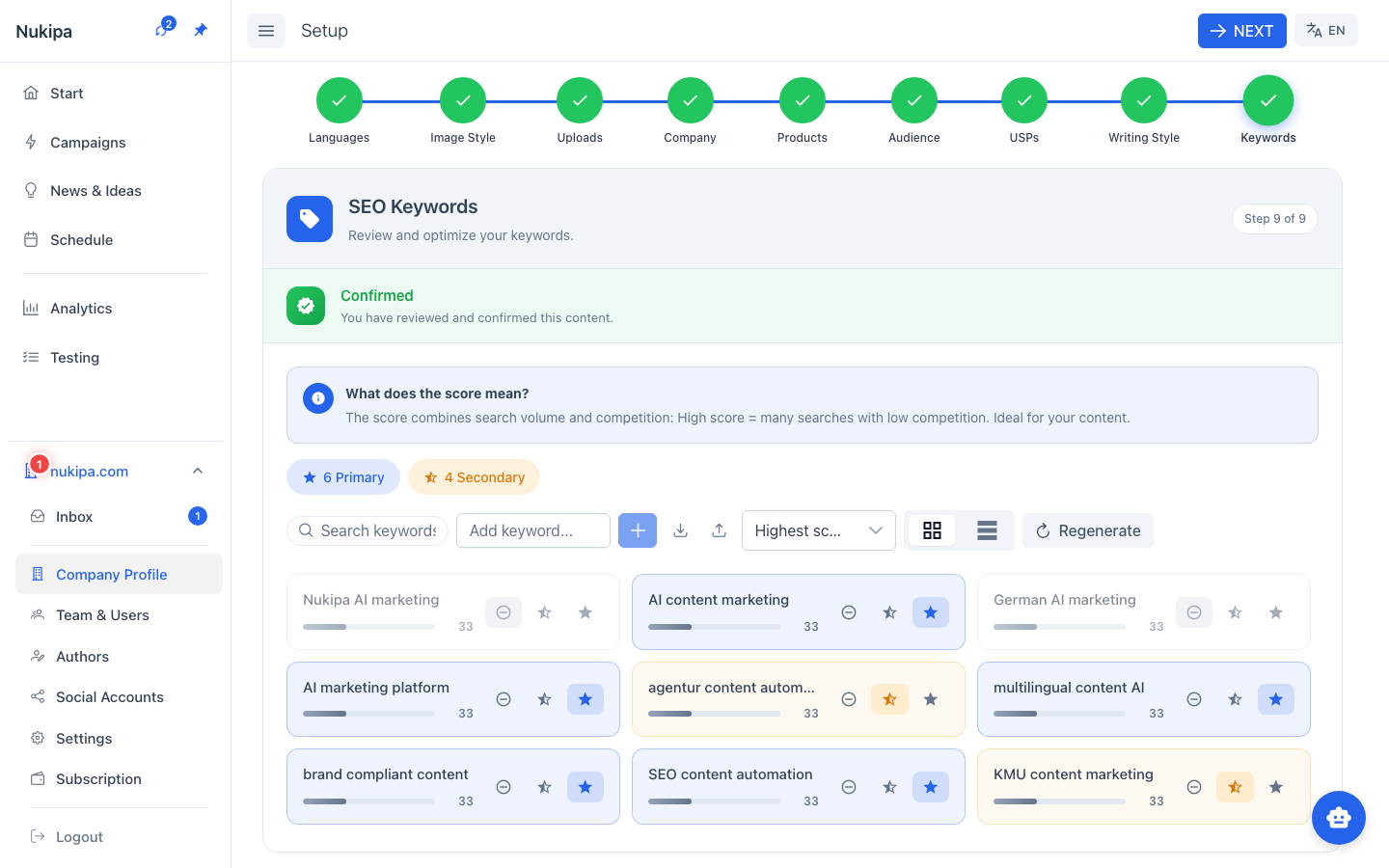
Manual Keywords
Add keywords you already know are important:
- Click Add Keyword.
- Enter the keyword.
- Classify it as Primary (your main targets) or Secondary (supporting terms).
Analyzing Keywords
Search Metrics
Select keywords and click Get Metrics to retrieve data from Google:
- Monthly search volume - How many times this term is searched per month.
- Competition level - Low, medium, or high - indicating how many advertisers target this keyword.
- Bid range - The price range advertisers pay per click, which indicates commercial value.
Interpreting the Data
- High volume + low competition = Opportunity. These keywords have demand but not too many competitors.
- High volume + high competition = Valuable but hard. Consider targeting these with your best content.
- Low volume + highly relevant = Niche opportunity. Fewer searchers, but highly targeted traffic.
Using Keywords in Your Content
Keywords inform your content strategy:
- Use primary keywords as blog post topics. When creating blog posts, reference your keyword list to choose topics people are actually searching for.
- Include keywords naturally in content. The AI already uses your company context when generating content - but you can explicitly mention target keywords in your briefings.
- Create landing pages for high-intent keywords. If a keyword indicates buying intent (e.g., "best CRM for small business"), create a dedicated landing page within a campaign.
The Connection to Content Creation
When you generate blog post ideas or write briefings, mention your target keywords. For example:
- Instead of: "Write about customer retention"
- Try: "Write about how to reduce customer churn in B2B SaaS - target the keyword 'customer retention strategies'"
The AI will naturally incorporate the keyword while keeping the content readable and valuable.
Tips for SEO Success
- Focus on 5-10 primary keywords to start. Don't spread too thin.
- Create at least one piece of content per primary keyword. A blog post or landing page targeting each keyword.
- Update your keyword list quarterly. Search trends change - revisit your keywords regularly.
- Don't keyword-stuff. The AI generates natural, readable content. Trust it to incorporate keywords appropriately.
- Submit your sitemap. After publishing keyword-targeted content, go to Settings > Sitemaps to submit your sitemap to Google and Bing (requires a custom domain).