
Managing Files and Documents
The Files section is your workspace's central media and document library. Upload files to refine the AI's understanding of your business, and use images directly in your blog posts.
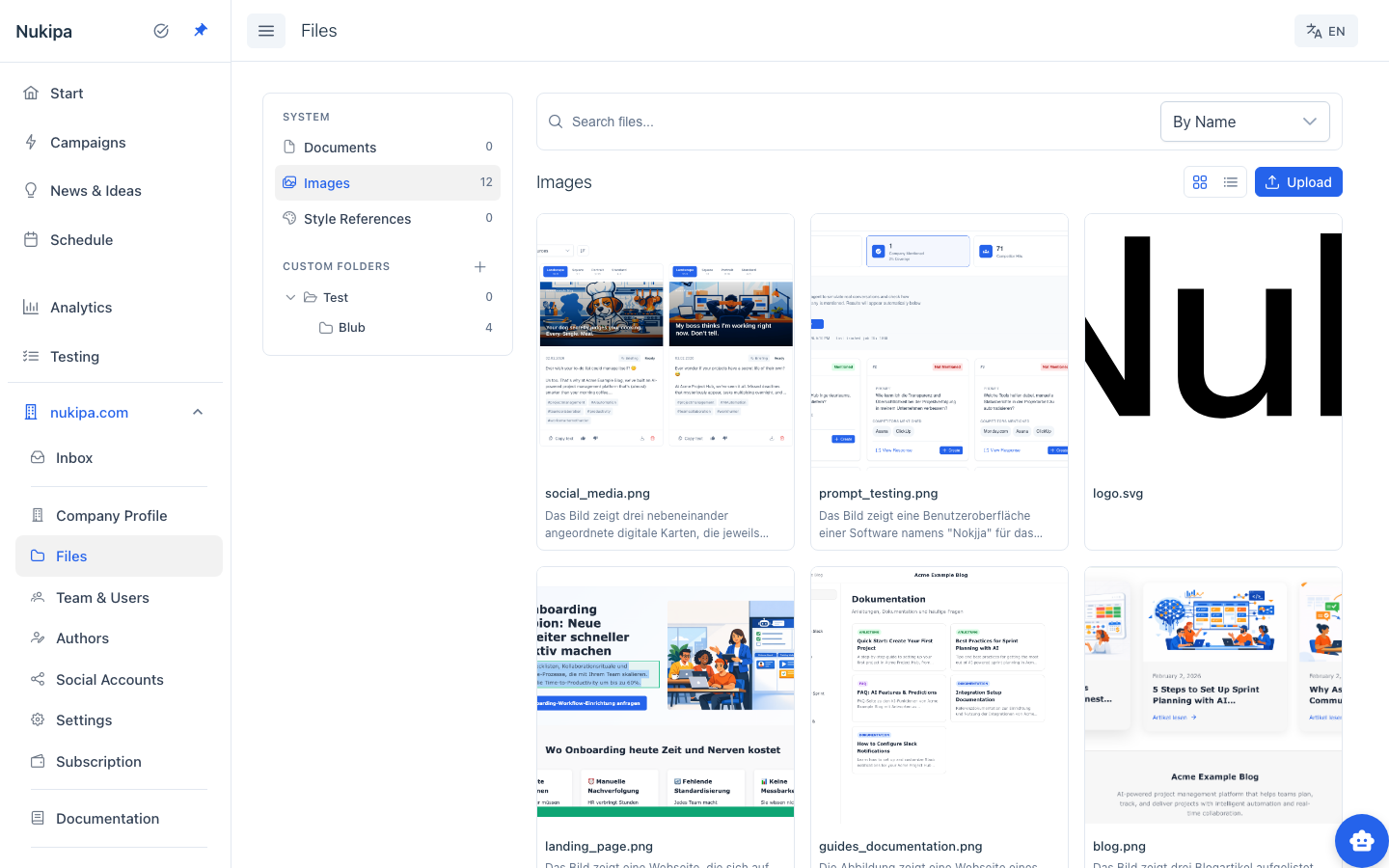
File Categories
Documents
Upload PDFs, Word documents, and text files that describe your products, services, processes, or brand guidelines. The AI uses these documents as context when generating content - the more relevant material you provide, the more accurate and on-brand your generated content will be.
Images
Upload product photos, team headshots, infographics, screenshots, and other visual assets. These images can be inserted directly into blog posts using the image insert feature in the editor.
Each image is automatically analyzed by AI to generate a description, making it easier to search and select the right image later.
Style References
Upload design references, mood boards, or visual style guides that inform how the AI generates images and designs landing pages.
Custom Folders
Create your own folder structure to organize files by project, campaign, or topic:
- Click the + button next to "Custom Folders."
- Name your folder.
- Drag files into folders or upload directly into them.
Folders can be nested for deeper organization.
Uploading Files
- Navigate to a folder (Documents, Images, Style References, or a custom folder).
- Click Upload in the top-right corner.
- Select files from your computer.
- Files are uploaded and processed automatically.
Supported formats include PDF, DOCX, TXT, PNG, JPG, SVG, and WebP.
Searching and Sorting
- Search by file name using the search bar.
- Sort by name or date using the dropdown.
- Switch views between grid (thumbnails) and list view.
How Files Improve AI Content
Documents you upload are added to your company's knowledge base. When the AI generates content, it references this knowledge base to:
- Include accurate product details and pricing.
- Use correct terminology and brand language.
- Reference internal processes and methodologies.
- Cite your own research and case studies.
The more comprehensive your document library, the better your generated content will match your business reality.
Tips
- Upload your brand guide so the AI consistently uses correct terminology, tone, and messaging.
- Add product data sheets for more specific blog posts and landing pages.
- Upload team photos and use them as author profile images or in blog posts.
- Keep folders organized so you can quickly find the right image when inserting into blog posts.