

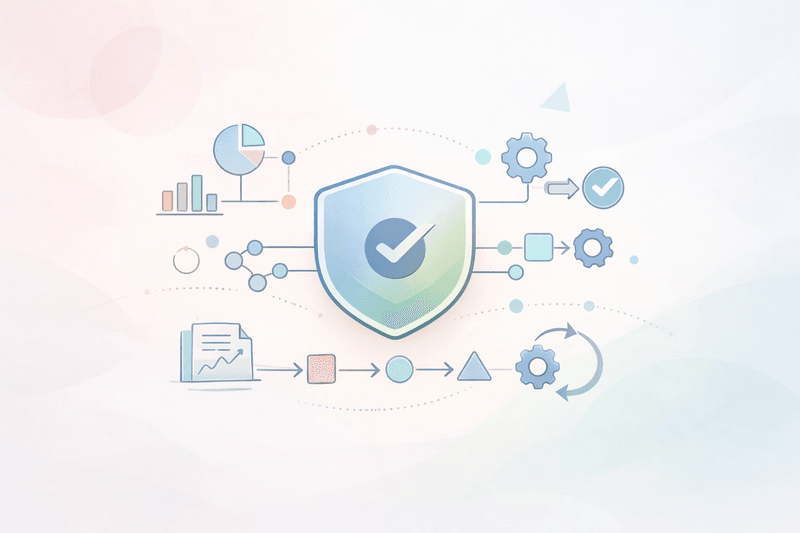
AI marketing, marketing automation, and content automation only create real value if the foundation is solid: clean first-party data, clear processes, and simple governance.
In this guide, you'll find a practical step-by-step playbook:
- How to quickly develop a data strategy for marketing
- Which first-party data you actually need (and which you don't)
- How to define processes and responsibilities for AI marketing
- Why governance protects instead of slowing you down
- How to build tools like Nukipa on top of this - including LinkedIn automation
According to analysis, companies that use AI-powered personalization grow up to 20% faster than their competitors. Most SMEs fail because the foundation is missing, not because of technology.
Prerequisites: What you should have ready before you start
Before you dive in, quickly clarify these basics:
- Website & tracking
- Own domain, CMS access
- GDPR-compliant analytics setup
- Customer data & systems
- A simple CRM or lead list
- Overview of touchpoints (website, newsletter, LinkedIn, events, sales)
- Legal & data protection
- Basic understanding of GDPR, consent, and consent banners
- A point of contact for data protection
- Content fundamentals
- Overview of products/services
- 2-3 typical customer segments / personas
- Existing presentations, proposals, FAQs
If you still see gaps here, prioritize closing those first as you go through the following steps.
Step 1: Define your target picture and the role of AI marketing
Before you start building data and processes, define what you want to use AI marketing for.
1.1. Set a clear objective
Formulate a concise goal, for example:
- "Generate 10 qualified inbound leads every month via website and LinkedIn - without adding headcount."
- "Showcase our expertise in three languages and generate 4 new inquiries per quarter from new markets."
Your goal dictates which data you collect, which processes you automate, and what kind of governance makes sense.
1.2. Prioritize your channels
Decide which core channels you will focus on:
- Website / landing pages
- Blog / knowledge hub
- LinkedIn (company page + personal profiles)
- Newsletter
Especially for SMEs, LinkedIn often offers the fastest leverage for visibility and is the natural starting point for AI-powered automation.
Tip: Start with a maximum of two channels, for example website and LinkedIn. The foundational setup will work for additional channels later.
Step 2: Build a lean first-party data strategy
Without clean first-party data, AI marketing is a game of chance. As an SME, you don't need an enterprise data warehouse.
By now, almost nine out of ten companies use AI regularly in marketing - the bottleneck is usually the data foundation.
2.1. Define the 5-10 most important data points
Focus on a few business-critical data points:
- Source of contact (e.g. "website form," "LinkedIn message")
- Product or service interest
- Company size/industry
- Language/region
- Which content was consumed before the inquiry? (e.g. blog, LinkedIn post)
Many teams have 30-50% of customer profiles with no usable behavioral data. You want the opposite: a few, but reliable data points - captured for as many contacts as possible.
2.2. Identify your first-party data collection points
List your most important touchpoints and note which data you want to collect there:
- Website forms (contact, demo, white paper)
- Newsletter sign-up
- LinkedIn forms (lead ads, profile links, DMs)
- Events (attendee list, badge scan app)
- Sales conversations (CRM notes)
Checklist:
- Is it clearly explained what the data will be used for?
- Do all data points flow into a central system for marketing and sales?
2.3. Clarify consent and transparency
The end of third-party cookies makes first-party data the key to personalized marketing from 2024 onwards. A clean consent setup remains the foundation.
You need:
- Clear consent text for each form (e.g. "Contact and personalized information about our services")
- A consent banner with separate options for marketing/tracking
- Marking in the CRM showing what each contact has agreed to (e.g. newsletter vs. 1:1 sales)
Common mistake: Assuming "legitimate interest" as a catch-all basis - this will come back to haunt you at the latest when you start using AI for analysis.
Step 3: Define marketing processes for AI and automation
Now to your workflows. Without a clear workflow, automation will never be effective.
Over a third of marketers see their data foundation as limited and fragmented; more than 10% barely use their own data at all. This is usually a process problem, not a tool problem.
3.1. Standard process: "Insight -> Asset -> Publish -> Learn"
Sketch out a simple flow:
- Insight:
- What does your target audience want to know? (sales feedback, search queries, LinkedIn comments)
- What is already working well?
- Asset briefing:
- Goal, audience, core message, format (landing page, blog post, LinkedIn series, FAQ)
- Creation with AI:
- An AI tool like Nukipa creates the draft
- Review & approval (human check):
- Validate facts, tone of voice, and legal requirements
- Publishing & distribution:
- Website, newsletter, LinkedIn (company page, and potentially founder profile)
- Learn & iterate:
- Analyze performance and refine the briefings for the next loop
Nukipa is built for exactly this loop: from idea, to landing pages and blog posts, to LinkedIn posts and performance analysis.
3.2. Roles & responsibilities
You need lean but clear ownership:
- Owner of the marketing foundation (marketing lead/founder): goals, data strategy, governance
- Content owner: briefings, approvals
- Sales / subject-matter experts: insights, expert review
Document the process on a single page (Notion, Confluence, PDF) - as a reference when you start automating or using a marketing desk like Nukipa.
3.3. Set your iteration rhythm
Define your rhythm: weekly or bi-weekly
- Which campaigns are active?
- What has been published (website, blog, LinkedIn)?
- Which metrics do we track (leads, deals closed, profile visits, engagement)?
- What drives inquiries, what does not?
Short, regular loops beat big quarterly projects - especially with AI marketing.
Step 4: Governance for AI marketing and content automation
For SMEs, governance mainly means clear rules so you can use AI safely and efficiently.
4.1. Create content guidelines
Define rules that apply to both your team and your AI tools:
- Do:
- Be precise, no exaggerations
- Use concrete examples and numbers
- Keep it clear, concise, and free of buzzwords
- Don't:
- No miracle claims ("guaranteed rankings/leads")
- No controversial statements
- No third-party logos/quotes without permission
These rules should later be part of every Nukipa briefing - so your content is neither generic nor risky.
4.2. Define approval rules
Decide per channel when a human review is mandatory:
- Website/landing pages/product pages: Always review
- Blog/knowledge articles: Review, at least at the beginning
- LinkedIn posts:
- Phase 1: Full review for every post
- Phase 2: Pre-approved topic tracks + spot checks
This way, Nukipa's LinkedIn feature can gradually evolve from assistant to almost autonomous mode - with clear guardrails.
4.3. Data protection and compliance check
Run a structured check:
- Which first-party data flows into your automations?
- Are there sensitive categories (health, finance, etc.)?
- Where is the data stored (tools, locations, providers)?
- Do you have data processing agreements in place?
Common mistake: Feeding AI models with real customer data without a data protection review. Use specialized tools, not random chatbots.
Step 5: Launch AI marketing and automation with Nukipa
Your foundation is in place - now Nukipa can start working as your marketing desk.
Studies show that companies with a strong first-party data foundation achieve better results with AI personalization and segmentation. The groundwork you've done pays off immediately.
5.1. Prepare your Nukipa inputs
Nukipa works best when you structure these inputs:
- Website URL + public pages (automatically analyzed)
- Positioning and product documents (PDFs, one-pagers, sales decks)
- Sales notes, FAQs
- Tone of voice guidelines (from Step 4)
- Simple data signals:
- Which pages/articles generate inquiries?
- Which topics perform well on LinkedIn?
- In which languages do leads come in?
With this, Nukipa turns your expertise into reusable, localized content - landing pages, blog posts, FAQs, and soon also Google Ads.
5.2. Content automation for website & blog
Start lean:
- Topic list: 10-20 customer problems + typical questions
- Campaign setup in Nukipa:
- Cluster by topics, products, or personas
- Define languages (e.g. English, French, Spanish)
- First content wave:
- Generate 1 landing page + 1-2 blog posts per topic
- Review & refinement:
- Check content, add examples, adjust claims
- Publish & measure:
- Regularly monitor visibility (search/AI), clicks, and leads
Tip: Use the same topics for your social content - website, blog, and LinkedIn then tell a consistent story.
5.3. Scale LinkedIn content with the new Nukipa feature
LinkedIn is often where it's most visible whether AI-powered marketing feels authentic. That's exactly what the new Nukipa feature is built for.
Your workflow for this:
- Define your sources:
- Which blog posts, landing pages, FAQs, and news items should be translated into LinkedIn posts?
- Define tone of voice & persona:
- Company profile vs. founder
- "We" perspective vs. personal point of view
- Apply your governance posting rules:
- Frequency (e.g. 3 posts/week)
- Topic mix (60% know-how, 20% product, 20% proof/insights)
- What must not be posted automatically?
- Choose the mode:
- Phase 1: Nukipa creates/plans posts. You approve them.
- Phase 2: For a predefined topic track, Nukipa posts automatically and you review by sampling.
This way, your LinkedIn posts won't feel generic - they will reflect real expertise and performance.
Troubleshooting: If things get stuck
"Our data is too messy - where do we start?"
- Start with one system as your single source of truth (CRM or a structured spreadsheet).
- Define 5 mandatory fields (source, product interest, industry, language, status).
- The rest can follow later. The key is to collect data consistently.
"We're afraid AI content will be generic or inaccurate."
- You reduce that risk when you:
- Feed Nukipa with your own documents and FAQs;
- Use clear do/don't guidelines;
- Build in a fixed review step.
- Never let AI "guess" - it should always work from your expertise.
"We don't manage to keep up with iteration meetings."
- Keep the meeting tight: 30 minutes, fixed agenda, 3 key metrics.
- Everything that's not essential stays out. The focus: the next pieces of content.
Next steps: Put your AI-ready marketing foundation live
Once you've worked through this guide, you will have:
- a clear target picture for AI marketing
- a focused first-party data strategy
- defined workflows with short iteration loops
- simple, effective governance
- a structured base that tools like Nukipa can run on
Your concrete roadmap for the next 2-3 weeks:
- Week 1: Define goals, channels, standard process, and roles.
- Week 2: Define first-party data, clean up forms/CRM, review consent texts.
- Week 3: Set up your first campaign in Nukipa (website + blog), test the LinkedIn feature for a small set of topics.
This is how you gradually build a marketing foundation that is designed for AI - not just for the latest tools.
FAQ: Common questions about an AI-ready marketing foundation
How much data do I need to get started?
Less than you think. What matters is clarity and consistency. If you know the channel, product interest, and region for most leads, you're in a good position.
Do I need a data warehouse for Nukipa?
No. SMEs typically work with analytics, a CRM, and clearly defined fields. The key is that Nukipa can access consistent information - you don't need a glossy enterprise architecture.
How do I avoid AI content "sounding like AI"?
- Add your own examples and customer stories
- Define a clear tone of voice
- Have someone quickly proofread before content goes live
For LinkedIn, make sure you capture personal perspectives (for example, founder insights) in the Nukipa briefing - that's crucial for authentic posts.
What is the difference between marketing automation and content automation?
- Marketing automation controls delivery and journeys (emails, lead nurturing).
- Content automation creates content (landing pages, blog posts, social posts).
AI platforms like Nukipa primarily deliver content - the fuel for your automated journeys.
How do I handle multiple languages?
Define a master language (for example, English) for strategy and messaging. Then define 2-3 target languages and document key specifics for each (terminology, formality, examples). Multilingual platforms like Nukipa implement this automatically, consistently, and in a way that saves your team time.